
When it comes to finding exactly what you’re looking for on eBay, the standard search box often falls short. Whether you’re hunting for vintage collectibles, rare sneakers, or discounted tech, mastering eBay’s advanced search operators can dramatically improve your results.
But here’s something even better: You can now use these same search tricks on GlobaleSearch.com – a powerful marketplace search tool that aggregates results from eBay and other top platforms worldwide.
Let’s dive in.
Why Use Advanced Search Operators on eBay?
eBay’s massive inventory can overwhelm casual shoppers. Using advanced search syntax allows you to:
- Filter out unwanted results
- Combine keywords strategically
- Search for exact phrases
- Pinpoint specific categories or item conditions
- Save time & money by zeroing in on relevant listings
Most Useful eBay Search Operators
| Operator | Function | Example |
|---|---|---|
| keyword1 keyword2 | Items with both terms | vintage watch |
| “exact phrase” | Matches exact phrase | “red wing boots” |
| keyword1 -keyword2 | Excludes a term | iphone -case |
| keyword1 OR keyword2 | Either term is okay | guitar OR bass |
| (term1, term2) | Synonym-like grouping (acts like OR) | (bike, bicycle) |
| keyword* | Wildcard for beginning of word | cam* matches camera, camping |
| -“exact phrase” | Excludes a complete phrase | camera -“parts only” |
Spaces act like AND, commas inside parentheses act like OR, and a minus sign acts like NOT.
Pro tip: Combine operators to create a more focused search.
For example:
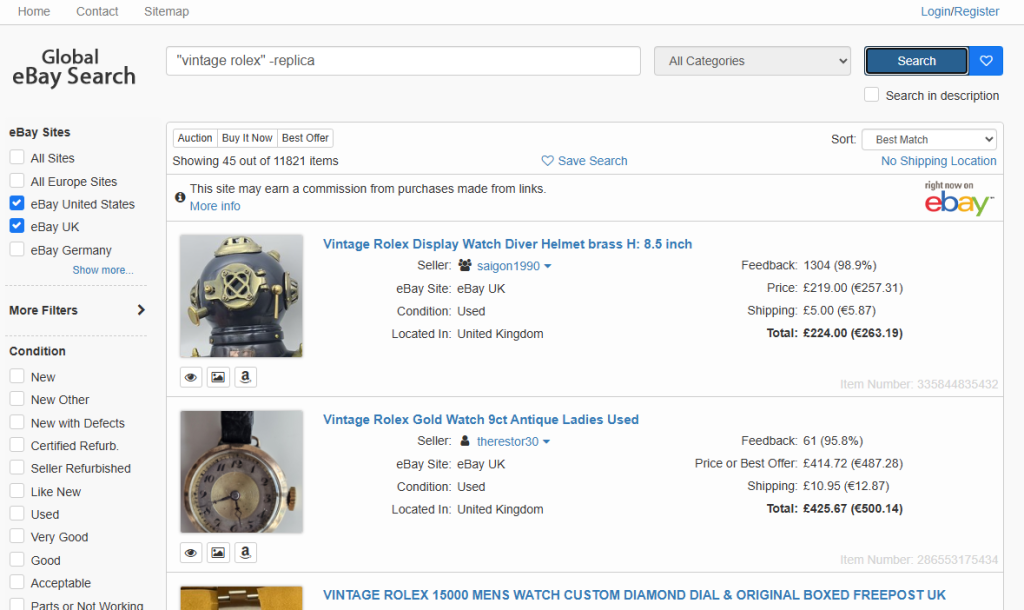
vintage (rolex,omega) -replica
This searches for vintage Rolex or Omega listings while excluding results containing the word replica.
New: Build Your Search Without Memorising the Syntax
If you don’t want to enter the operators manually, use the free eBay Boolean Search Builder.
Add the words you require, exact phrases, acceptable alternatives and terms you want to exclude. The builder creates the finished search term for you, checks it for common errors and lets you copy it or search immediately.
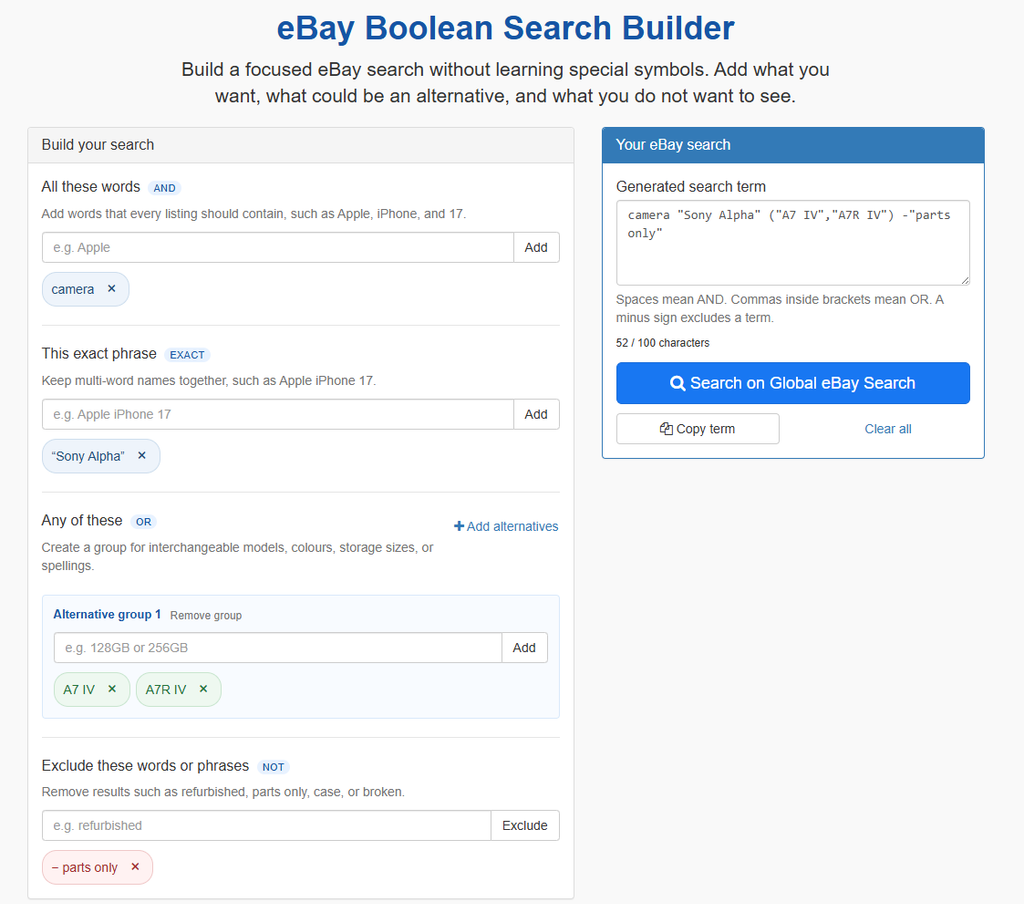
For detailed instructions and examples, read Build Better eBay Searches with the Boolean Search Builder.
Open the eBay Boolean Search Builder
Take It Global: Use eBay Operators on GlobaleSearch.com
Want to use these operators across international eBay marketplaces?
Global eBay Search lets you apply the same advanced search terms while searching more broadly.
Why use Global eBay Search?
- Search international eBay marketplaces with one query
- Compare listings from different countries
- Enter advanced search syntax manually or create it with the Boolean Search Builder
- Avoid repeating your search on individual country-specific eBay sites
Try this search:
Conclusion
Whether you’re a deal hunter or a collector, learning eBay’s advanced search operators gives you the power to search smarter—not harder.
Use required words, exact phrases, alternatives and exclusions to remove irrelevant listings and find better matches.
If you prefer a guided approach, create your query with the eBay Boolean Search Builder. Then use Global eBay Search to take that search beyond your local marketplace.
No responses yet