We’ve added a new feature to Globalesearch.com that lets you quickly remove clutter from your search results.
You can now hide any item with one click. There is a new button (red box in below screenshot) under the image of each item.
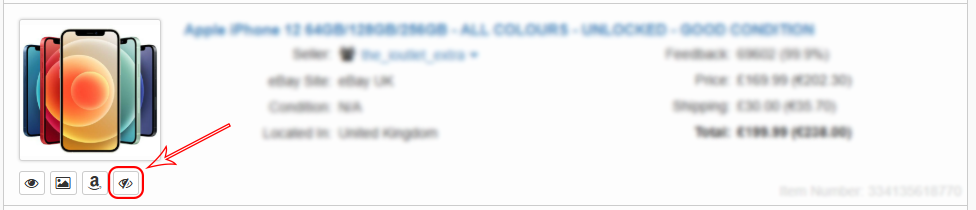
Once hidden, that item is saved in your browser and will be automatically omitted from current and future search results, keeping your searches clean and relevant.

When you have hidden items, a floating button appears in the bottom-right corner. It shows how many items you’ve hidden.
Clicking the hidden items floating button opens a panel where you can:
- View your list of hidden items
- Unhide individual items with a delete button on each item
- Remove everything at once with a Delete All button
This update gives you simple, persistent control over what you want to see. Try it out and streamline your search experience.
No responses yet